
Screenshots


App details
- Updated
- Aug 28, 2023
- Language
- English
- Developer
- Ancikle
- Category
- Mobile
SoftPas in:
This product is also available in the following languages:
About AIRemove
Download AIRemove – Windows maintenance, system cleanup, AI-powered optimization, performance booster, system repair
Overview
AIRemove is a system utility software designed to enhance the performance and reliability of Windows operating systems through intelligent maintenance tools. The application focuses on system cleanup, repair, and optimization, leveraging artificial intelligence to detect and resolve potential issues before they impact performance. Its primary purpose is to streamline routine maintenance tasks, reducing the need for manual intervention and minimizing system slowdowns. This makes AIRemove particularly useful for users seeking a hands-off approach to keeping their Windows devices running smoothly.
The target audience includes both novice users who may lack technical expertise and experienced users who want a reliable, automated solution for system upkeep. Real-world use cases range from improving startup speed and freeing up disk space to resolving system errors and enhancing application responsiveness. In the broader context of the software ecosystem, AIRemove fills a niche by combining AI-driven diagnostics with a centralized maintenance interface, offering a unified experience for system health management.
Developed by AIRemove, the software was released on August 28, 2023, and is currently available at no cost. Although the developer did not provide additional technical details about their background or development philosophy, the software’s feature set suggests a focus on automation, user accessibility, and continuous improvement. The integration of AI technology into system maintenance represents a growing trend in utility software, positioning AIRemove as a modern solution in a competitive category.
Key Features & Functionality
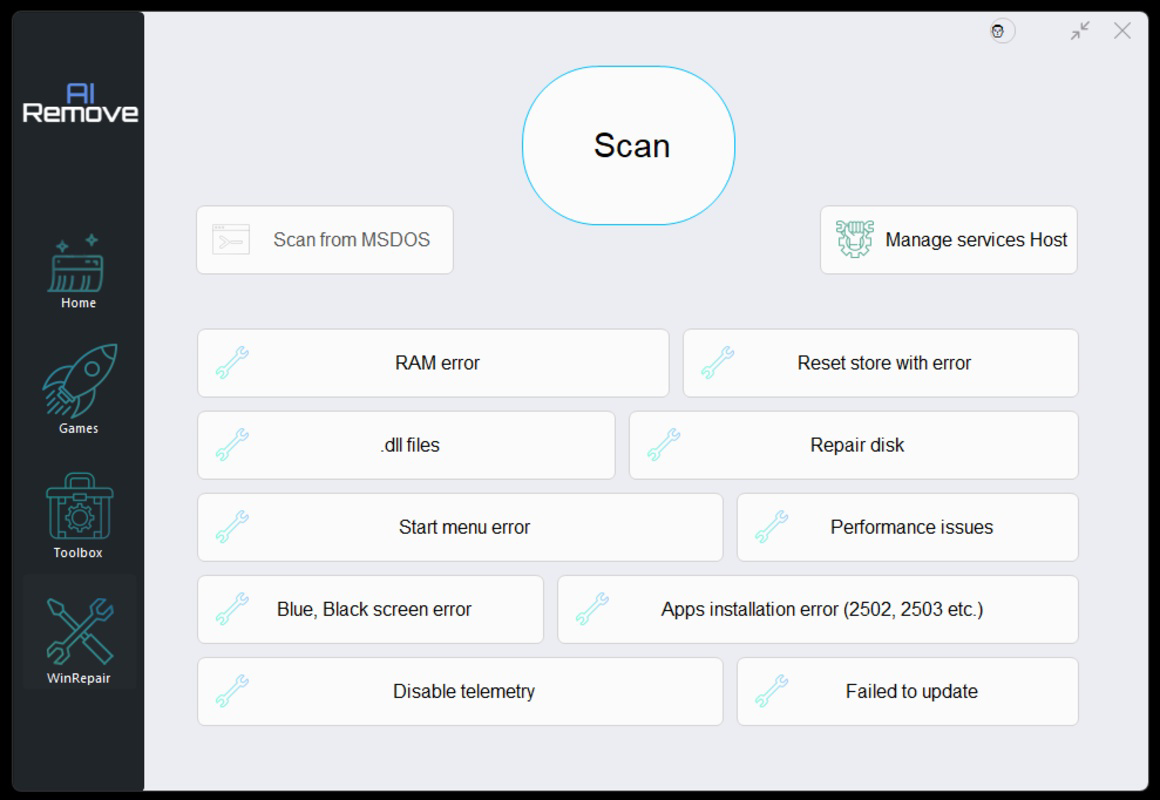
- Advanced Scanning: AIRemove performs a deep system scan using AI algorithms to detect corrupted files, registry errors, and performance bottlenecks. This feature identifies issues that may not be visible through standard system tools, enabling proactive repairs before they cause system instability.
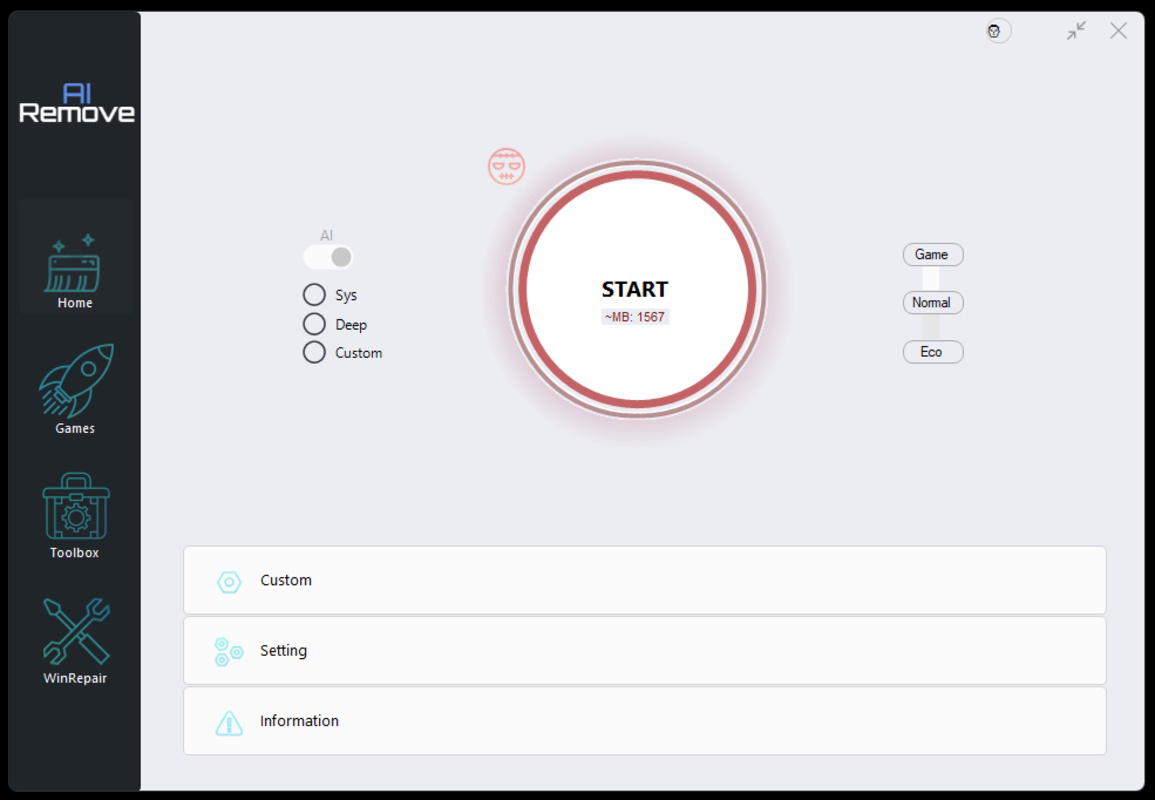
- User-Friendly Interface: The software features a clean, intuitive layout that simplifies navigation. Users can access core tools with minimal clicks, making it accessible even to those with limited technical knowledge.
- System Performance Booster: By prioritizing resource-intensive tasks and terminating unnecessary background processes, this feature enhances responsiveness during high-demand activities such as gaming or video editing.
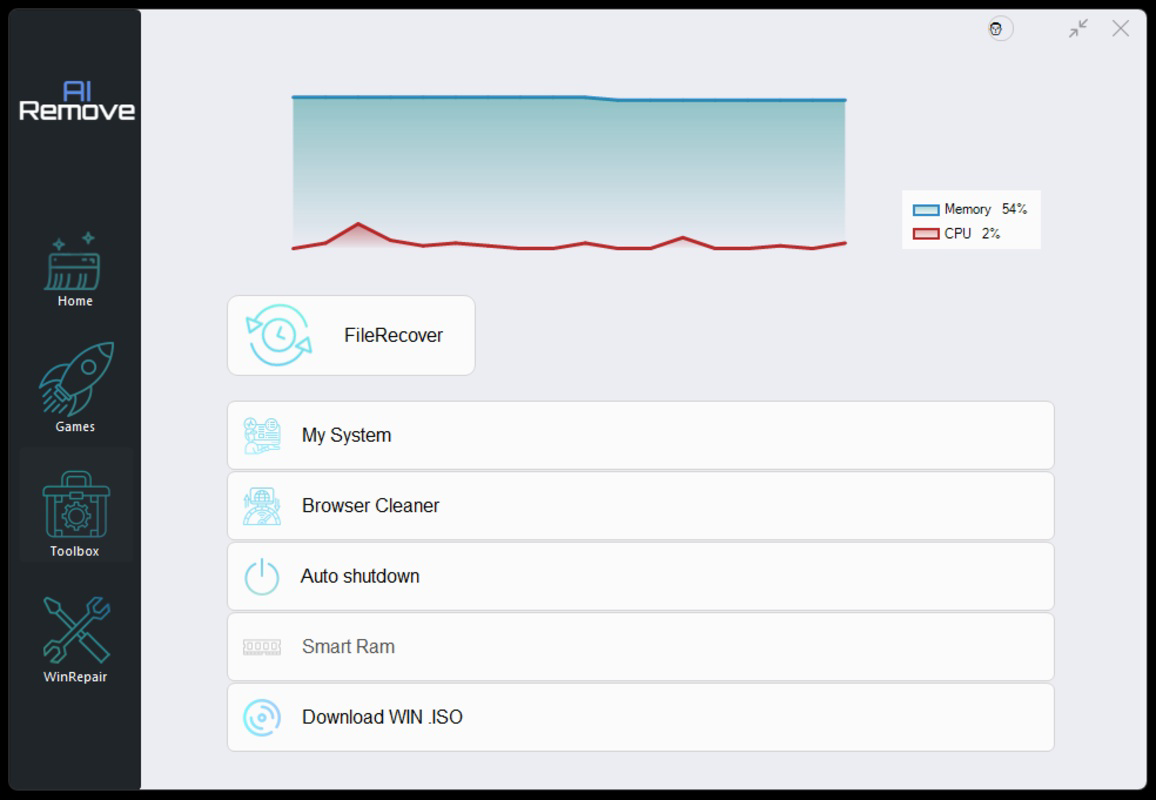
- Comprehensive Toolbox: A collection of built-in utilities allows users to perform various maintenance tasks, including disk cleanup, error repair, and startup optimization, all from a single interface.
- Regular Updates & Security: AIRemove receives consistent updates to improve functionality, address emerging threats, and maintain compatibility with new Windows versions. The developer emphasizes ongoing security enhancements and compliance with industry standards.
For example, a user experiencing slow boot times can initiate the advanced scan, which identifies unnecessary startup programs and corrupt system entries. After repair, the system boots faster and operates more efficiently. Similarly, a gamer can use the performance booster to maximize frame rates by freeing up CPU and RAM resources during gameplay.
Interface, UX & Performance
AIRemove presents a modern, minimalist interface with clearly labeled sections and visual indicators for system health status. The layout is organized around core functions—scanning, optimization, and maintenance tools—ensuring users can locate features without confusion. Navigation is linear and consistent, reducing cognitive load and enhancing usability across different user skill levels.
The software responds quickly to user inputs, with minimal lag during scans and repairs. Although the developer did not list formal performance metrics, the application maintains a stable presence in the background without consuming excessive system resources. It runs efficiently on a range of Windows devices, including laptops and desktops with varying hardware configurations.
Responsiveness is maintained even during intensive operations, such as full system scans or performance tuning. Stability appears robust, with no reported crashes or freezes in the initial release. The software integrates seamlessly with the Windows environment, respecting user preferences and system settings without intrusive behavior.
Platform Compatibility & Technical Requirements
AIRemove is designed for the Windows platform and requires a compatible Windows operating system. The current version is 1.0.0, with a file size of 20.5 MB. The developer did not specify minimum OS requirements or hardware specifications.
Given the software’s lightweight footprint, it is likely optimized for a broad range of Windows devices, including those with limited storage and processing power. However, specific compatibility details were not disclosed, and users are advised to verify system requirements before installation.
Pros and Cons
Pros
- Free to download and use, making it accessible to a wide audience.
- AI-powered scanning enhances accuracy in detecting system issues.
- Intuitive interface simplifies maintenance tasks for non-technical users.
- Lightweight design with minimal system resource usage.
- Regular updates ensure ongoing security and performance improvements.
Cons
- Specific system requirements were not listed by the developer.
- Information about supported Windows versions was not provided.
- No third-party security certifications were mentioned.
- Limited transparency regarding data handling and privacy practices.
- Availability restricted to Windows; no information on other platforms.
FAQ
Is AIRemove safe to install on my Windows PC?
AIRemove is a free utility designed for Windows systems. While it does not display known security risks, users should ensure they download it from official sources to maintain system safety.
Can I use AIRemove on older versions of Windows?
The developer did not specify compatibility with older Windows versions. Users are advised to check their system’s OS version before installation.
Does AIRemove require an internet connection?
While the software can function offline, regular updates and AI model enhancements may require internet access for optimal performance.
How often should I run a system scan with AIRemove?
Users can run scans as needed, but it is recommended to perform a full scan at least once a month to maintain system health.
Is AIRemove available for Android or iOS?
AIRemove is currently only available for Windows. There is no public information about future releases for mobile platforms.
Final Thoughts
AIRemove stands out as a promising system utility that combines AI-driven diagnostics with a user-centric design. Its focus on automation, performance enhancement, and ease of use makes it a valuable tool for anyone managing a Windows device. The free pricing model increases its appeal, especially for users seeking a reliable, no-cost solution for system maintenance.
While the lack of detailed technical specifications and platform transparency limits full confidence for advanced users, the software’s clean interface and efficient functionality deliver tangible benefits. It is particularly well-suited for home users, students, and professionals who want to keep their systems running at peak performance without deep technical involvement.
With consistent updates and a growing emphasis on security, AIRemove demonstrates a commitment to long-term usability. As Windows maintenance tools continue to evolve, AIRemove positions itself as a modern, intelligent alternative to traditional utilities.
Download AIRemove now
Guides & Tutorials
How to install AIRemove
- Click the Download button above.
- Once redirected, accept the terms and click Install.
- Wait for the AIRemove download to finish on your device.
How to use AIRemove
This software is primarily used for its core features described above. Open the app after installation to explore its capabilities.
User Reviews
No reviews yet. Be the first to share your experience.
You may also like
more
Que no te pillen¡
About !Que no te pillen¡Reviewed by Jason A. BilbreyShow MoreShow Less

3D Combat Zone
About 3D Combat ZoneOriginally released in 1983, 3D Combat Zone immerses players...

666: El día del portal
About 666: El día del portalOn June 6, 2006, Agent P. Stone uncovers a sinister...

80 in 1 Best Flash games
About 80 in 1 Best Flash games 80 in 1 Best Flash games is a collection of 80 fl...

ABYSS SEEKERーーWhat Do You See Deep in The Abyss
About ABYSS SEEKERーーWhat Do You See Deep in The AbyssIn ABYSS SEEKER, players...

ACA NEOGEO THE KING OF FIGHTERS 2002 for Windows
About ACA NEOGEO THE KING OF FIGHTERS 2002 for WindowsTHE KING OF FIGHTERS 2002,...